Source Code
<div class="kd-wrap">
  <canvas id="kdCanvas" class="kd-canvas"></canvas>
  <div class="kd-panel">
    <span class="kd-tag">radial symmetry drawing</span>
    <div class="kd-row">
      <label>Segments <span id="kdSegVal">10</span></label>
      <input type="range" id="kdSeg" min="3" max="20" value="10" step="1" />
    </div>
    <div class="kd-row">
      <label>Brush <span id="kdBrushVal">4</span></label>
      <input type="range" id="kdBrush" min="1" max="14" value="4" step="1" />
    </div>
    <button class="kd-btn" id="kdClear">Clear</button>
  </div>
</div>*{box-sizing:border-box;margin:0;padding:0}
body{font-family:system-ui,-apple-system,sans-serif;background:#0c0710;color:#f3ecfa;min-height:100vh;display:flex;align-items:center;justify-content:center;padding:24px}
.kd-wrap{display:flex;flex-direction:column;align-items:center;gap:16px;width:min(680px,96vw)}
.kd-canvas{width:100%;aspect-ratio:1/1;background:#0c0710;border-radius:50%;border:1px solid rgba(255,255,255,.1);display:block;touch-action:none;cursor:crosshair;box-shadow:0 0 60px rgba(168,85,247,.15)}
.kd-panel{width:100%;display:flex;flex-wrap:wrap;align-items:center;gap:18px;background:rgba(255,255,255,.03);border:1px solid rgba(255,255,255,.08);border-radius:14px;padding:14px 18px}
.kd-tag{font-size:10.5px;font-weight:700;letter-spacing:.12em;text-transform:uppercase;color:#d8b4fe;background:rgba(216,180,254,.1);border:1px solid rgba(216,180,254,.3);padding:4px 10px;border-radius:99px}
.kd-row{display:flex;align-items:center;gap:8px;font-size:12px;color:#c9bfe0}
.kd-row input{accent-color:#a855f7}
.kd-btn{margin-left:auto;background:#2a1240;border:1px solid rgba(216,180,254,.3);color:#d8b4fe;font-size:12.5px;font-weight:600;padding:8px 14px;border-radius:9px;cursor:pointer}
.kd-btn:hover{background:#391962}const canvas = document.getElementById('kdCanvas');
const ctx = canvas.getContext('2d');
const segSlider = document.getElementById('kdSeg');
const brushSlider = document.getElementById('kdBrush');
const segVal = document.getElementById('kdSegVal');
const brushVal = document.getElementById('kdBrushVal');
const clearBtn = document.getElementById('kdClear');
let width, height, dpr, cx, cy;
let drawing = false;
let last = null;
let hue = 280;
function resize() {
dpr = Math.min(window.devicePixelRatio || 1, 2);
width = canvas.clientWidth;
height = canvas.clientHeight;
canvas.width = width * dpr;
canvas.height = height * dpr;
ctx.setTransform(dpr, 0, 0, dpr, 0, 0);
cx = width / 2;
cy = height / 2;
ctx.lineCap = 'round';
ctx.lineJoin = 'round';
}
function pointerPos(e) {
const rect = canvas.getBoundingClientRect();
const t = e.touches ? e.touches[0] : e;
return { x: t.clientX - rect.left, y: t.clientY - rect.top };
}
// One physical stroke segment is replayed N times, each time rotated by
// (360 / segments) degrees around the canvas center, and once more as a
// mirrored copy — that mirror is what turns simple rotational repetition
// into a true kaleidoscope (reflective) symmetry rather than a pinwheel.
function stampSegment(x1, y1, x2, y2) {
const segments = parseInt(segSlider.value, 10);
const width_ = parseInt(brushSlider.value, 10);
const angleStep = (Math.PI * 2) / segments;
ctx.lineWidth = width_;
ctx.strokeStyle = 'hsla(' + hue + ',85%,68%,0.9)';
ctx.shadowColor = 'hsla(' + hue + ',90%,60%,0.6)';
ctx.shadowBlur = width_ * 1.4;
for (let i = 0; i < segments; i++) {
const angle = angleStep * i;
const cosA = Math.cos(angle), sinA = Math.sin(angle);
// Rotated copy
drawLine(rot(x1, y1, cosA, sinA), rot(x2, y2, cosA, sinA));
// Mirrored + rotated copy (reflect across the local x-axis first)
drawLine(rot(x1, -y1, cosA, sinA), rot(x2, -y2, cosA, sinA));
}
ctx.shadowBlur = 0;
}
function rot(x, y, cosA, sinA) {
const rx = cx + (x - cx) * cosA - (y - cy) * sinA;
const ry = cy + (x - cx) * sinA + (y - cy) * cosA;
return { x: rx, y: ry };
}
function drawLine(p1, p2) {
ctx.beginPath();
ctx.moveTo(p1.x, p1.y);
ctx.lineTo(p2.x, p2.y);
ctx.stroke();
}
function onDown(e) {
drawing = true;
last = pointerPos(e);
hue = (hue + 3) % 360;
e.preventDefault();
}
function onMove(e) {
if (!drawing) return;
const pos = pointerPos(e);
stampSegment(last.x, last.y, pos.x, pos.y);
last = pos;
hue = (hue + 0.6) % 360;
e.preventDefault();
}
function onUp() { drawing = false; last = null; }
canvas.addEventListener('mousedown', onDown);
window.addEventListener('mousemove', onMove);
window.addEventListener('mouseup', onUp);
canvas.addEventListener('touchstart', onDown, { passive: false });
canvas.addEventListener('touchmove', onMove, { passive: false });
canvas.addEventListener('touchend', onUp);
function clearCanvas() {
ctx.clearRect(0, 0, width, height);
}
segSlider.addEventListener('input', () => { segVal.textContent = segSlider.value; });
brushSlider.addEventListener('input', () => { brushVal.textContent = brushSlider.value; });
clearBtn.addEventListener('click', clearCanvas);
resize();
window.addEventListener('resize', () => { const img = canvas.toDataURL(); resize(); });Learn Coding Visually
Learn to code with interactive, live-preview playgrounds — HTML, CSS, JavaScript, React & more.
 HTML Playground42 lessons · Click-based · Live preview
 CSS PlaygroundLearn CSS with a live editor
 JavaScript Playground60 lessons · DOM · Async · Canvas
 React PlaygroundLearn React with a live code editor
 GSAP PlaygroundLearn GSAP animation interactively
 SVG Playground44 lessons · shapes · paths · animation
 SCSS Playground45 lessons · Sass modules · tokens
 Tailwind PlaygroundLearn Tailwind CSS with a live editor
 Bootstrap 5 Playground50 lessons · live preview
Canvas Kaleidoscope Drawing — Free Radial Symmetry Paint Tool
Canvas Kaleidoscope Drawing · Animations · Plain HTML, CSS & JS · Live preview
What's included
Features
About this UI Snippet
Canvas Kaleidoscope Drawing — Rotation and Reflection From One Stroke
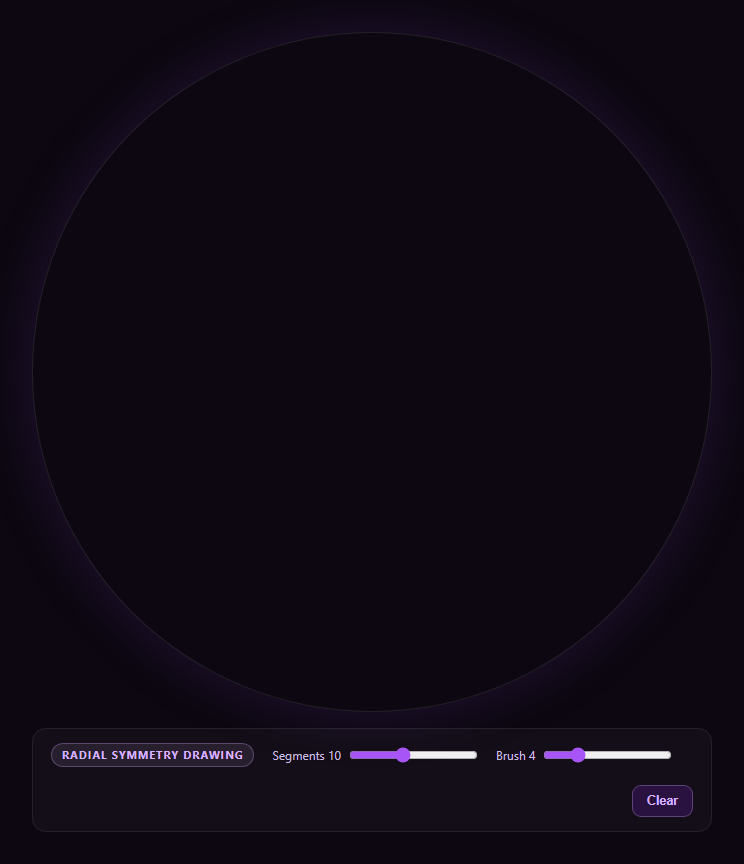
This snippet turns any freehand stroke into a symmetric kaleidoscope pattern by replaying each drawn line segment multiple times around a shared center — a small amount of trigonometry standing in for what would otherwise be a genuine multi-mirror optical kaleidoscope.
Every stroke is a rotation matrix applied N times
The core of the effect is rot(), a 2D rotation of a point around the canvas center (cx, cy) by a given angle, using the standard x' = cx + (x-cx)cos - (y-cy)sin / y' = cy + (x-cx)sin + (y-cy)cos formulas. stampSegment() calls this once per symmetry segment, spaced evenly around a full circle (360° / segments), so a single drawn line becomes a ring of evenly-spaced rotated copies.
Reflection, not just rotation, is what makes it a kaleidoscope
A purely rotated repeat produces a pinwheel — visually interesting, but not what a kaleidoscope actually looks like. For every rotated copy, stampSegment() also draws a second copy with the y-coordinate negated *before* rotation, which mirrors the stroke across the local axis first. Combining a mirrored copy with each rotated copy is what produces true reflective symmetry, where each wedge is a mirror image of its neighbor rather than an identical rotated repeat.
Stroke segments, not full paths, get replayed
Rather than storing a whole path and re-transforming it at the end, every mousemove/touchmove event immediately stamps just the newest line segment (from the last point to the current point), rotated and mirrored, straight onto the canvas. This keeps the canvas itself as the only state — there's no separate path array to manage or re-render, and the drawing persists exactly like a normal paint canvas.
Hue drift keeps long strokes visually alive
hue increments slightly on every move event (and more on each new stroke), so a single continuous drawing gesture gradually shifts color across the spectrum — a small touch that keeps longer kaleidoscope drawings from looking monotone.
For a non-symmetric freehand alternative, see drawing canvas; for organic non-linear canvas art, see canvas generative pattern.
Build with AI
Build, Understand, Optimize, and Extend It With AI
Paste this snippet's HTML, CSS, and JS into an AI coding assistant like Claude and ask it to walk through why rot() alone produces a pinwheel while adding a y-negated mirrored copy of every rotated segment produces true kaleidoscope (reflective) symmetry — try sketching the math on paper for a 4-segment case if you want to verify it by hand. It's a good snippet to extend with an assistant — ask for an undo stack (record each stamped segment's coordinates so you can pop and redraw), a save-as-PNG button, or a version where the mirror axis is recomputed per-wedge for a perfectly seamless mandala with no visible seam.
Prompt to recreate it
Copy this into your AI assistant of choice to build the effect from scratch, or as a jumping-off point for your own variant:
Build a "kaleidoscope drawing" tool in plain HTML, CSS, and JavaScript using only the Canvas 2D API — no external library.

Requirements:
- A canvas the user can draw on with mouse or touch (mousedown/mousemove/mouseup and touchstart/touchmove/touchend), where every drawn line SEGMENT (from the previous pointer position to the current one, not the whole stroke) is immediately replayed as multiple rotated AND mirrored copies around the canvas's center point before being stroked, so the visible drawing is always symmetric even mid-stroke.
- Implement the rotation with an explicit 2D rotation-around-a-point formula (rotate (x,y) around (cx,cy) by angle theta), and implement the mirror by negating the segment's y-offset from center before applying that same rotation formula — for a given segment count N, draw N evenly-spaced-by-angle rotated copies PLUS N mirrored-and-rotated copies, so the result has true reflective symmetry (like an optical kaleidoscope) rather than only rotational symmetry (a pinwheel).
- Expose a live "Segments" slider (roughly 3 to 20) that controls how many symmetry wedges are used, and a "Brush" slider controlling stroke width (and proportionally, a glow/shadowBlur amount).
- Gradually shift the stroke color's hue as the user draws (a small increment per move event, a larger jump per new stroke) so long or repeated drawing gestures produce color variation instead of a single flat color, rendering with a soft glow via shadowColor/shadowBlur.
- Include a Clear button that wipes the canvas. Do not store a separate path/history array — each segment should be stamped directly onto the canvas pixel buffer as it's drawn, keeping the canvas itself as the only persisted state.
- Scale for devicePixelRatio so strokes render crisply on high-DPI displays, and recompute the canvas center on resize.
Want to tighten it up first? Run this prompt through the AI Prompt Studio to score it across 8 quality dimensions, catch anti-patterns, and tune the wording for Claude, ChatGPT, or Gemini before you paste it in.
Step by step
How to Use
- 1Paste HTML, CSS, and JSA circular canvas panel renders, ready to draw.
- 2Click or touch and dragYour stroke is mirrored into a symmetric radial pattern.
- 3Adjust SegmentsMore segments produce a denser, more intricate mandala.
- 4Adjust BrushControls stroke thickness and glow intensity.
- 5Draw multiple strokesColors drift across the hue spectrum as you draw.
- 6ClearWipes the canvas to start a new pattern.
Real-world uses
Common Use Cases
Got questions?
Frequently Asked Questions
Rotating alone produces a pinwheel, where every copy points the same rotational direction as the original. This snippet additionally draws a mirrored copy (negating the y-coordinate before rotating) for every rotated copy, which produces true reflective symmetry — each wedge is a mirror image of its neighbor, matching how an actual optical kaleidoscope's mirrors behave, not just a rotated repeat.
Segments determines both how many evenly-spaced rotation angles are used (360 degrees divided by the segment count) and, combined with the mirrored copies, how many total wedges make up the full pattern. A low segment count produces a few large, bold wedges; a high segment count produces many small, intricate ones from the same stroke.
The hue variable increments a small fixed amount on every pointer-move event during a stroke, and jumps further at the start of each new stroke. Because every stamped segment uses the current hue value at the moment it's drawn, a single long continuous gesture visibly shifts color across the spectrum rather than staying one flat color.
No — each segment is stamped directly onto the canvas pixel buffer the moment it's drawn, and the canvas itself is the only persisted state. This keeps the implementation simple (no path array to manage or re-render), but it does mean the drawing is raster, not vector; if you need an export/undo feature, you'd need to additionally record each stamped segment's coordinates in an array as it's drawn.
The current implementation mirrors around the horizontal axis through the canvas center, which can leave a faint seam where the two mirrored halves meet depending on your stroke angle. For a fully seamless mandala, mirror around the angle bisector of each wedge instead of a single fixed axis, recomputing the mirror axis per segment based on that segment's rotation angle.