Source Code
<section class="gcs-intro"><h1>Scroll through a real gallery of glTF models</h1><p>Three real .glb models slide through one turntable as you scroll — drag to orbit whichever one is currently on stage.</p></section>
<section class="gcs-pin" id="gcsPin">
<canvas id="gcsCanvas"></canvas>
<div class="gcs-dots" id="gcsDots">
<span class="gcs-dot active" data-i="0"></span>
<span class="gcs-dot" data-i="1"></span>
<span class="gcs-dot" data-i="2"></span>
</div>
<div class="gcs-label" id="gcsLabel">Duck</div>
<div class="gcs-hint">Drag to orbit · plain scroll always scrolls the page · Ctrl/Cmd + scroll to zoom</div>
<div class="gcs-zoom">
<span class="gcs-zoom-label">+</span>
<input type="range" id="gcsZoom" class="gcs-zoom-slider" min="0" max="100" step="1" />
<span class="gcs-zoom-label">−</span>
</div>
</section>
<section class="gcs-outro"><p>End of the gallery — scroll back up to bring the first model back on stage.</p></section>*{box-sizing:border-box;margin:0;padding:0}
body{font-family:system-ui,-apple-system,sans-serif;color:#fff;background:#0a0b12}
.gcs-intro,.gcs-outro{min-height:70vh;display:flex;flex-direction:column;justify-content:center;align-items:center;text-align:center;gap:10px;padding:24px}
.gcs-intro h1{font-size:clamp(28px,6vw,50px);letter-spacing:-.02em}
.gcs-intro p,.gcs-outro p{color:#9aa0b8;font-size:15px;max-width:460px}
.gcs-pin{position:relative;height:100vh;overflow:hidden;background:radial-gradient(60% 60% at 50% 42%,#181c28,#0a0b12)}
#gcsCanvas{display:block;width:100%;height:100%;cursor:grab}
#gcsCanvas:active{cursor:grabbing}
.gcs-dots{position:absolute;top:26px;left:50%;transform:translateX(-50%);display:flex;gap:8px}
.gcs-dot{width:8px;height:8px;border-radius:50%;background:rgba(255,255,255,.22);transition:background .25s,transform .25s}
.gcs-dot.active{background:#5eead4;transform:scale(1.3)}
.gcs-label{position:absolute;top:58px;left:50%;transform:translateX(-50%);font-size:13px;font-weight:700;letter-spacing:.04em;color:#99f6e4;background:rgba(10,12,20,.55);padding:6px 16px;border-radius:999px;border:1px solid rgba(94,234,212,.3);backdrop-filter:blur(6px)}
.gcs-hint{position:absolute;left:50%;bottom:26px;transform:translateX(-50%);font-size:12px;font-weight:600;color:#b7c0da;background:rgba(10,12,20,.55);padding:8px 16px;border-radius:999px;backdrop-filter:blur(6px);border:1px solid rgba(255,255,255,.08)}
.gcs-zoom{position:absolute;right:22px;top:74px;bottom:74px;width:34px;display:flex;flex-direction:column;align-items:center;gap:8px;background:rgba(10,12,20,.55);border:1px solid rgba(255,255,255,.1);border-radius:999px;padding:10px 0;backdrop-filter:blur(6px)}
.gcs-zoom-label{font-size:13px;font-weight:700;color:#b7c0da;line-height:1;user-select:none}
.gcs-zoom-slider{flex:1;width:6px;-webkit-appearance:slider-vertical;writing-mode:vertical-lr;direction:rtl;accent-color:#5eead4;cursor:pointer}gsap.registerPlugin(ScrollTrigger);
const canvas = document.getElementById('gcsCanvas');
const label = document.getElementById('gcsLabel');
const dots = Array.from(document.querySelectorAll('.gcs-dot'));
const renderer = new THREE.WebGLRenderer({ canvas, antialias: true, alpha: true });
renderer.setPixelRatio(Math.min(window.devicePixelRatio, 2));
const scene = new THREE.Scene();
const camera = new THREE.PerspectiveCamera(40, 1, 0.1, 50);
camera.position.set(0, 0.5, 4.2);
// OrbitControls only ever moves the CAMERA around a fixed turntable point.
// Scroll, below, only ever slides each model GROUP's own position and
// rotation. Two independent transforms on two independent kinds of
// objects, so dragging to orbit the current model and scrolling to swap
// models never fight over the same property.
const controls = new THREE.OrbitControls(camera, renderer.domElement);
controls.enableDamping = true;
controls.dampingFactor = 0.08;
controls.target.set(0, 0.2, 0);
controls.minDistance = 2;
controls.maxDistance = 9;
// OrbitControls' own wheel-zoom is turned off on purpose: left on, it calls
// preventDefault() on every wheel event over the canvas — including a plain
// scroll — which would silently swallow the page scroll this whole demo
// depends on. Zoom is reimplemented below as an explicit, opt-in gesture
// (a slider, and Ctrl/Cmd + scroll) instead of hijacking the default wheel.
controls.enableZoom = false;
const zoomSlider = document.getElementById('gcsZoom');
function setZoomDistance(distance) {
const clamped = THREE.MathUtils.clamp(distance, controls.minDistance, controls.maxDistance);
const offset = camera.position.clone().sub(controls.target);
offset.setLength(clamped || 0.001);
camera.position.copy(controls.target).add(offset);
const t = (clamped - controls.minDistance) / (controls.maxDistance - controls.minDistance);
zoomSlider.value = String(Math.round((1 - t) * 100));
}
setZoomDistance(camera.position.distanceTo(controls.target));
zoomSlider.addEventListener('input', () => {
const t = 1 - Number(zoomSlider.value) / 100;
setZoomDistance(controls.minDistance + t * (controls.maxDistance - controls.minDistance));
});
canvas.addEventListener('wheel', (e) => {
if (!e.ctrlKey && !e.metaKey) return; // plain scroll always passes through to the page
e.preventDefault();
const current = camera.position.distanceTo(controls.target);
setZoomDistance(current + e.deltaY * 0.01);
}, { passive: false });
scene.add(new THREE.AmbientLight(0x445066, 0.7));
const key = new THREE.DirectionalLight(0xffffff, 1.8);
key.position.set(4, 6, 5);
scene.add(key);
const fill = new THREE.DirectionalLight(0x5eead4, 0.4);
fill.position.set(-5, 2, 3);
scene.add(fill);
const ground = new THREE.Mesh(
new THREE.CircleGeometry(4, 48),
new THREE.MeshStandardMaterial({ color: 0x11141f, roughness: 1 })
);
ground.rotation.x = -Math.PI / 2;
ground.position.y = -0.75;
scene.add(ground);
// Three real, freely-licensed .glb files from Khronos' sample-asset
// repository — a genuine gallery of distinct models, not one model
// with three color variants.
const GALLERY = [
{ name: 'Duck', url: 'https://cdn.jsdelivr.net/gh/KhronosGroup/glTF-Sample-Assets@main/Models/Duck/glTF-Binary/Duck.glb', color: 0xfacc15 },
{ name: 'Antique Camera', url: 'https://cdn.jsdelivr.net/gh/KhronosGroup/glTF-Sample-Assets@main/Models/AntiqueCamera/glTF-Binary/AntiqueCamera.glb', color: 0xa78bfa },
{ name: 'BoomBox', url: 'https://cdn.jsdelivr.net/gh/KhronosGroup/glTF-Sample-Assets@main/Models/BoomBox/glTF-Binary/BoomBox.glb', color: 0x5eead4 },
];
// Each gallery entry gets its own wrapper Group, positioned on the same
// turntable circle 120 degrees apart. Scroll only ever rotates this whole
// turntable Group (never an individual model's own local transform), so
// swapping which model is "on stage" is just a rotation, not a visibility
// toggle or position swap.
const turntable = new THREE.Group();
scene.add(turntable);
const SLOT_RADIUS = 3.2;
const slots = GALLERY.map((_, i) => {
const angle = (i / GALLERY.length) * Math.PI * 2;
const slot = new THREE.Group();
slot.position.set(Math.sin(angle) * SLOT_RADIUS, 0, Math.cos(angle) * SLOT_RADIUS - SLOT_RADIUS);
turntable.add(slot);
return slot;
});
function loadIntoSlot(entry, slot) {
const loader = new THREE.GLTFLoader();
loader.load(
entry.url,
(gltf) => {
const model = gltf.scene;
// Auto-fit rather than a hardcoded scale factor: different .glb
// exports (and loader versions) can decode the same source asset at
// wildly different raw sizes, so measuring the loaded geometry and
// scaling it to a known target height is far more reliable than
// guessing a magic number ahead of time.
const box = new THREE.Box3().setFromObject(model);
const size = box.getSize(new THREE.Vector3());
const maxDim = Math.max(size.x, size.y, size.z) || 1;
model.scale.setScalar(1.6 / maxDim);
const fitted = new THREE.Box3().setFromObject(model);
model.position.y += -0.75 - fitted.min.y;
slot.add(model);
},
undefined,
(err) => {
// Honest failure state: if the CDN model can't load, swap in a
// simple placeholder so that slot on the turntable is never empty.
console.error('GLB failed to load for ' + entry.name + ', showing a placeholder instead:', err);
const placeholder = new THREE.Mesh(
new THREE.SphereGeometry(0.8, 24, 24),
new THREE.MeshStandardMaterial({ color: entry.color, roughness: 0.5 })
);
placeholder.position.y = -0.1;
slot.add(placeholder);
}
);
}
GALLERY.forEach((entry, i) => loadIntoSlot(entry, slots[i]));
// Scroll rotates the whole turntable Group by exactly one slot's worth of
// angle per gallery entry, mapping scroll progress directly onto which
// model is currently facing the camera — a pure, reversible function of
// scroll position, just like the single-model turntable snippet, applied
// here to which model is on stage rather than to one model's own spin.
const TOTAL_SLOTS = GALLERY.length;
ScrollTrigger.create({
trigger: '#gcsPin',
start: 'top top',
end: '+=' + (TOTAL_SLOTS * 1300),
pin: true,
scrub: 0.45,
onUpdate(self) {
const raw = self.progress * (TOTAL_SLOTS - 1);
turntable.rotation.y = (raw / TOTAL_SLOTS) * Math.PI * 2 * -1;
const index = Math.min(TOTAL_SLOTS - 1, Math.round(raw));
label.textContent = GALLERY[index].name;
dots.forEach((d, i) => d.classList.toggle('active', i === index));
},
});
function resize() {
const w = canvas.clientWidth, h = canvas.clientHeight;
renderer.setSize(w, h, false);
camera.aspect = w / h;
camera.updateProjectionMatrix();
}
function animate() {
requestAnimationFrame(animate);
controls.update();
renderer.render(scene, camera);
}
resize();
window.addEventListener('resize', resize);
animate();Learn Coding Visually
Learn to code with interactive, live-preview playgrounds — HTML, CSS, JavaScript, React & more.
 HTML Playground42 lessons · Click-based · Live preview
 CSS PlaygroundLearn CSS with a live editor
 JavaScript Playground60 lessons · DOM · Async · Canvas
 React PlaygroundLearn React with a live code editor
 GSAP PlaygroundLearn GSAP animation interactively
 SVG Playground44 lessons · shapes · paths · animation
 SCSS Playground45 lessons · Sass modules · tokens
 Tailwind PlaygroundLearn Tailwind CSS with a live editor
 Bootstrap 5 Playground50 lessons · live preview
Scroll-Triggered GLB Model Carousel — Free GSAP ScrollTrigger + Three.js Gallery Snippet
Scroll-Triggered GLB Model Carousel · Scroll · Plain HTML, CSS & JS · Live preview
What's included
Features
About this UI Snippet
Scroll-Triggered GLB Model Carousel — A Real Multi-Model Gallery on One Turntable
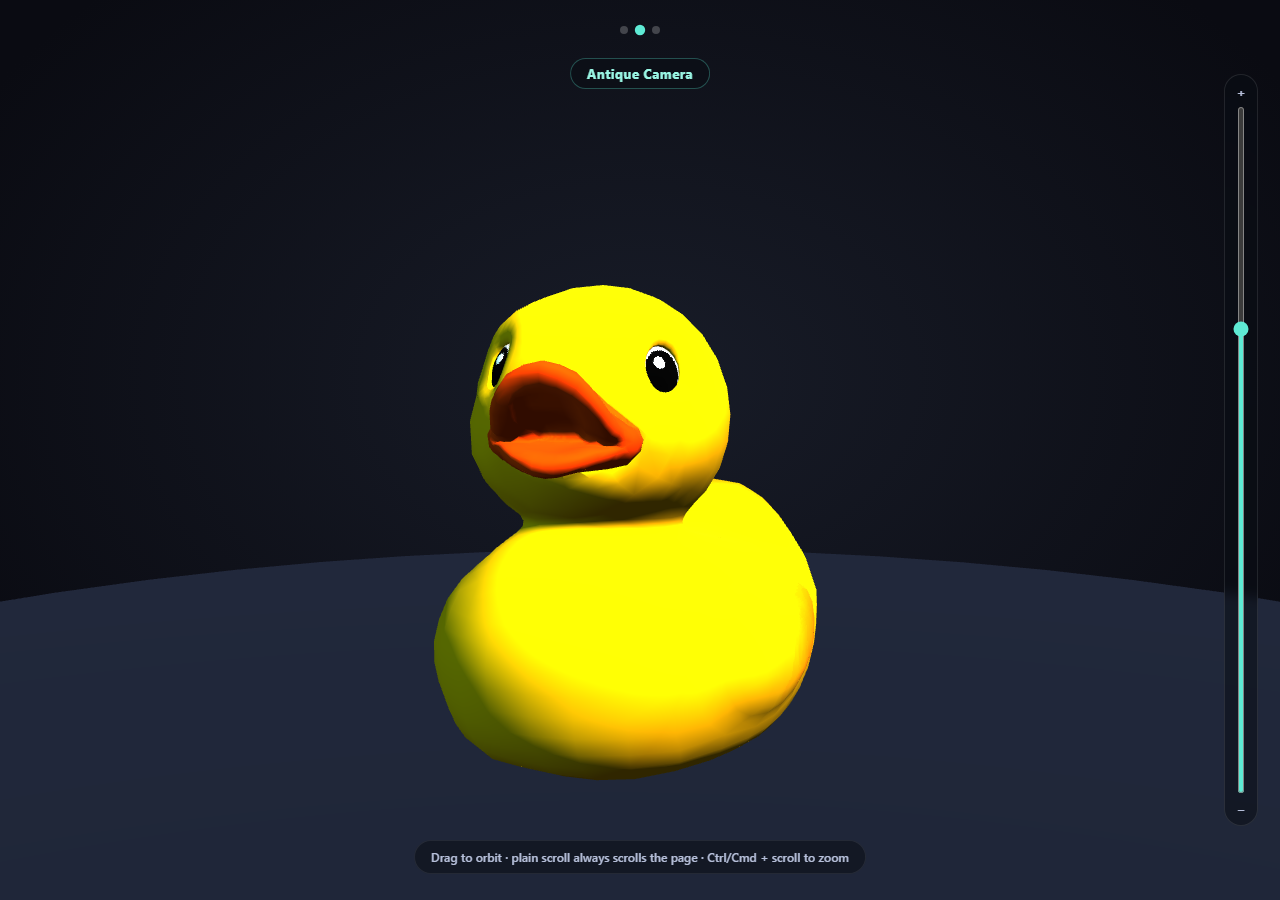
Showing off more than one 3D model on scroll usually means either loading them one at a time (with an awkward swap moment) or building a full multi-scene setup. This snippet does neither: it loads three genuinely different .glb models onto three slots of a single rotating turntable Group, and lets scroll rotate that whole group — bringing each model into the camera's fixed viewing position in turn, purely by rotation.
One turntable, three slots, not three toggled visibilities
GALLERY is loaded once into three child Groups (slots), each positioned 120 degrees apart around a shared turntable group's center. Every model stays loaded and present in the scene at all times — there's no show/hide toggle, no re-parenting, and no re-triggering a load when scrolling back to a model you've already seen. Only turntable.rotation.y ever changes.
Scroll rotates the turntable, never an individual model
ScrollTrigger's onUpdate maps the 0-1 scroll progress across (TOTAL_SLOTS - 1) steps and sets turntable.rotation.y directly from that value — a pure, reversible function of scroll position, exactly like the single-model scroll-scrubbed GLB turntable snippet, just applied to which model faces the camera instead of to one model's own spin.
Camera-space orbit, object-space carousel — still zero conflict
OrbitControls only ever repositions the camera around a fixed target point. The scroll handler only ever sets the turntable group's own rotation. Because those are two different transforms on two different objects, dragging to orbit whichever model currently faces the camera and scrolling to bring the next model into view both work simultaneously with no coordination code, exactly the same conflict-free pattern this whole snippet family relies on.
Independent, honest per-model fallbacks
Each of the three GLTFLoader.load() calls has its own error callback that names which gallery entry failed and swaps in a color-matched placeholder sphere into that specific slot — so one broken model URL only ever affects its own position on the turntable, never the other two.
A live label and dot indicator, not just a number
Alongside the numeric scroll progress, the current step is rounded to the nearest whole model index and used to update both a text label (the model's actual name) and a row of dot indicators — the same UI pattern real image/product carousels use, applied here to a genuinely 3D, scroll-scrubbed gallery.
Zoom is opt-in, not a hijacked scroll wheel
OrbitControls' built-in wheel-zoom is turned off, with zoom reimplemented as a slider plus Ctrl/Cmd + scroll, so a plain scroll always advances the page.
Customizing it
Add a fourth entry to GALLERY (the slot math adapts automatically), change SLOT_RADIUS for a tighter or wider turntable, or pair this with GLB model comparison viewer for a non-scroll-driven way to look at two models at once.
Build with AI
Build, Understand, Optimize, and Extend It With AI
Paste this snippet's HTML, CSS, and JS into an AI coding assistant like Claude and ask it to explain exactly why rotating one shared turntable group (rather than toggling each model's visibility) is what lets all three models stay loaded and avoids any reload flicker when scrolling back to a model already seen, and why dragging to orbit and scroll-driven turntable rotation never need explicit conflict-resolution code. It's also useful for extending the demo — ask it to add a fourth or fifth model with the gallery spacing adjusting automatically, ease the turntable rotation with a non-linear curve instead of a linear scroll mapping, or add per-model caption text that cross-fades in sync with the label and dot indicator. Use the conversation to build real intuition for scroll-scrubbed multi-object scenes before applying the same turntable-gallery pattern to your own set of glTF models.
Prompt to recreate it
Copy this into your AI assistant of choice to build the effect from scratch, or as a jumping-off point for your own variant:
Build a "scroll-triggered multi-model 3D carousel" in plain HTML, CSS, and JavaScript using Three.js (core, GLTFLoader, and OrbitControls, all loaded from a CDN with no bundler) plus GSAP with its ScrollTrigger plugin.

Requirements:
- A pinned full-viewport Three.js scene (GSAP ScrollTrigger pin: true) with an intro section before it and an outro section after, studio-lit with at least a key and fill light plus a simple ground/grounding element.
- Define a gallery of at least three real .glb models as plain data (name, URL, a fallback color), each pointed at a genuine, freely-licensed, CDN-hosted glTF binary URL (e.g. different Khronos glTF-Sample-Assets models) — do not substitute primitive geometry for any of them.
- Create one shared parent "turntable" Group, and inside it, one child Group per gallery entry ("slot"), positioned evenly around a circle so each model sits in its own fixed position relative to the turntable's center. Load each gallery entry's model into its own slot using THREE.GLTFLoader, and after each one loads, measure its bounding box and scale it to the same fixed target height (rather than a hardcoded scale number) so every model in the gallery compares fairly at a consistent visual size.
- Using ScrollTrigger's scrub option, rotate only the shared parent turntable group's own rotation directly from scroll progress — mapped so that each full model-to-model transition corresponds to an even fraction of the total scroll range — never toggle any individual model's visibility, reparent anything, or reload a model when scrolling back to one already seen. The rotation must be a pure, reversible function of scroll position.
- Display a live text label showing the name of whichever model is currently closest to facing the camera, and a row of dot indicators that highlights the currently-active model, both derived from the same scroll progress value used for the turntable rotation.
- Set up OrbitControls on the camera with damping enabled so a visitor can click-and-drag the canvas at any time to orbit around whichever model currently faces the camera — this must work continuously and simultaneously with the scroll-driven turntable rotation, with zero explicit conflict-resolution code, since OrbitControls only ever moves the camera while scroll only ever rotates the turntable group.
- Turn off OrbitControls' own wheel-zoom and instead implement zoom as an explicit opt-in gesture: a vertical range-input slider next to the canvas, plus Ctrl/Cmd + scroll wheel — a plain scroll must do nothing and pass through to the page normally.
- Handle each model's own GLTFLoader error callback independently by logging which gallery entry failed and substituting a simple placeholder mesh into that specific slot only, so a single broken model URL never affects the other slots on the turntable.
Want to tighten it up first? Run this prompt through the AI Prompt Studio to score it across 8 quality dimensions, catch anti-patterns, and tune the wording for Claude, ChatGPT, or Gemini before you paste it in.
Step by step
How to Use
- 1Add all five CDN scriptsthree.min.js, GLTFLoader.js, OrbitControls.js, gsap, and ScrollTrigger.
- 2Paste HTML, CSS, and JSThe Duck loads facing the camera; the other two models wait on the turntable.
- 3Scroll into the pinned sectionThe turntable rotates smoothly, bringing each model into view in turn.
- 4Watch the label and dotsBoth update live to show which model currently faces the camera.
- 5Drag on the canvas at any pointOrbit freely around whichever model is currently on stage.
- 6Use the slider or Ctrl/Cmd + scroll to zoomPlain scroll always advances the page; zoom is a separate, opt-in gesture.
- 7Add another modelPush a new { name, url, color } entry into GALLERY — the slot layout adapts automatically.
Real-world uses
Common Use Cases
Got questions?
Frequently Asked Questions
All three models are loaded once into their own child Group, each positioned 120 degrees apart around a shared parent turntable Group's center. Scroll only ever rotates that parent turntable group's own rotation.y property — every model stays loaded, present, and untouched in the scene at all times, so there's no show/hide toggle, re-parenting, or re-triggered load involved in bringing a different model into the camera's fixed viewing position.
They act on two different transforms. OrbitControls repositions the camera around a fixed target point — camera-space. The scroll handler sets the turntable group's own rotation.y directly — object-space, and specifically the whole gallery's rotation, never any individual model's own local transform. Because a visitor's drag and the scroll handler never write to the same property, both work simultaneously with zero conflict-resolution code, the same pattern used throughout this snippet family.
Each of the three GLTFLoader.load() calls has its own independent error callback that logs specifically which gallery entry failed and adds a color-matched placeholder sphere into that model's own slot only — the other two models continue to load and rotate into view completely normally, so a single broken URL never breaks the whole carousel.
Push a new { name, url, color } object into the GALLERY array. The slot positions are computed automatically by dividing a full circle by GALLERY.length, and the ScrollTrigger's scroll-distance and rotation-per-step math both read from GALLERY.length as well, so adding an entry automatically adjusts the turntable spacing and how far you need to scroll to see every model.
Set up the renderer, scene, GLTFLoader calls, OrbitControls, and the turntable/slots group hierarchy inside a mount effect, keeping GALLERY and the turntable group in refs so the ScrollTrigger onUpdate callback can reach current values. Call controls.dispose(), renderer.dispose(), and the ScrollTrigger instance's .kill() in the cleanup function to release the WebGL context and remove the pin/scroll listeners on unmount.